That's what I saw here too. It also confirms that your domain name is managed by Digital Oceans nameservers. Therefore, it should be OK to continue in their configuration panel with getting the certificate.

I would stick with just lhartists.com and www.lhartists.com.
That zoho-thing you see is for something called DKIM and doesn't rely on a Let's Encrypt certificate. It also wasn't part of your previous certificates.
Ok. There was also beta.lhartists.com when we scrolled down with cursor but couldn’t show that on the screenshot
That site doesn't do anything. That hostname also has never had a certificate before, so it probably doesn't need one now. Also, trying to get a certificate for that hostname will probably fail, so it's best not to include beta.lhartists.com.
Ok so we have moved forward and it asks us to Name The Certificate. I’m assuming it can be anything at all??
Not a clue, I guess so. Nothing wrong with just naming it lhartists.com I think.

I’m afraid the Privacy Error page is still displayed and Certificate is INVALID 
Like I said, I don’t have experience with Digital Ocean and it’s configuration panel.
It could be your newly issued certificate needs to be enabled on the site itself.
And I guess only the developer can do that. Aaaaagh!
It’s probably somewhere else in the configuration panel you’ve got opened right now.
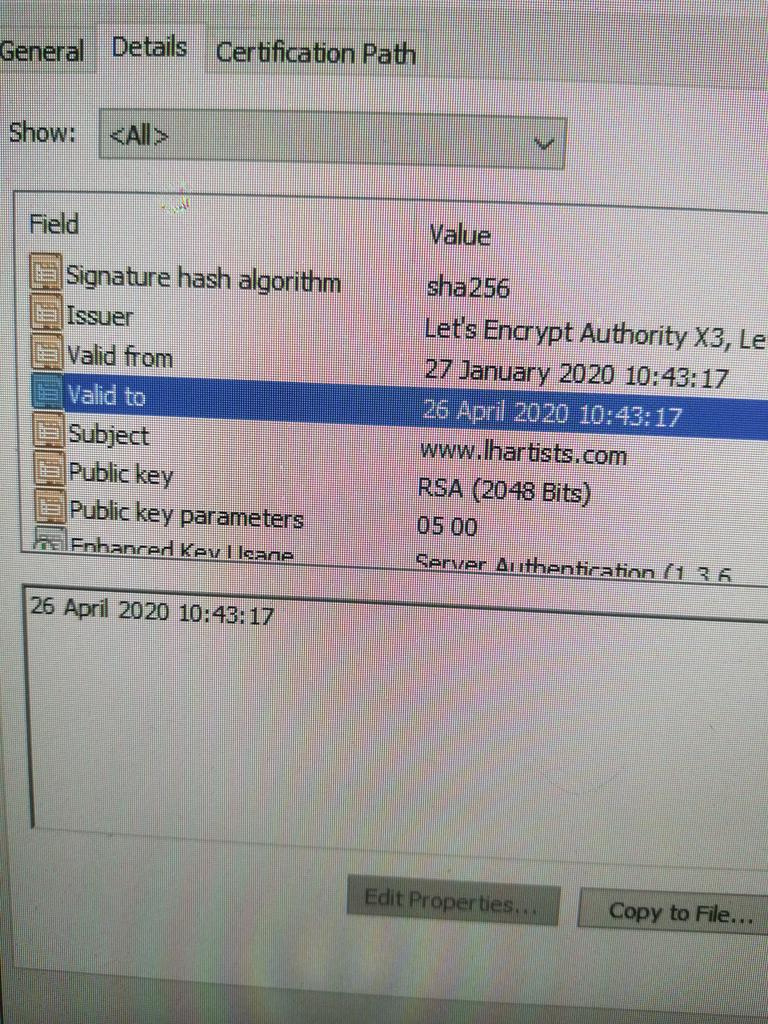
Do NOT change the dates! That will invalidate your certificate! 
It appears your new certificate(s) isn’t(aren’t) being used. You will have to install the new certificate(s). In your post #28, in the image you uploaded there is a button on the right to “Add Certificate”. Click on that and see if it lists your new certificate(s). If so, add the new certificate.
Just a disclaimer, I am not that too familiar with DO.
Unfortunately not. This would generate an entirely new one and repeat the process. We have searched all over their website how to activate it.
Perhaps a call-out to Digital Ocean might help with this. You’re half way there 
There is no contact page. NOTHING! However we received this from them so I have sent an email back! Wish me luck and thank for your help.
Hello from DigitalOcean,
We just created a new TLS/SSL certificate called lowyhamiltonartists using Let’s Encrypt on your behalf. It applies to the following domains:
It will expire on 26 Jul 2020 - 18:03 UTC, but don’t worry. We will automatically renew it before that date and notify you when the renewal is done.
Our product documentation has more information on how to use Let’s Encrypt certificates with DigitalOcean products:
- Let’s Encrypt with DigitalOcean Load Balancers - https://do.co/lble
- Let’s Encrypt with custom subdomains for the Spaces CDN - https://do.co/cdnle
Best,
Sammy
You’re gonna need the luck, as it was you who got the new certificate and no, their earlier certificate did not automatically renew  And it still isn’t installed.
I’m glad DO finally got around to noticing you. But it would definitely help if they actually install the certificate for you. 