Hi All,
i'm running the certbot challenge to get certificate for SSL.
i have followed the following link certbot for apache server .
after following the steps, we are getting error saying the HTTP-01 challenge failed for domain.
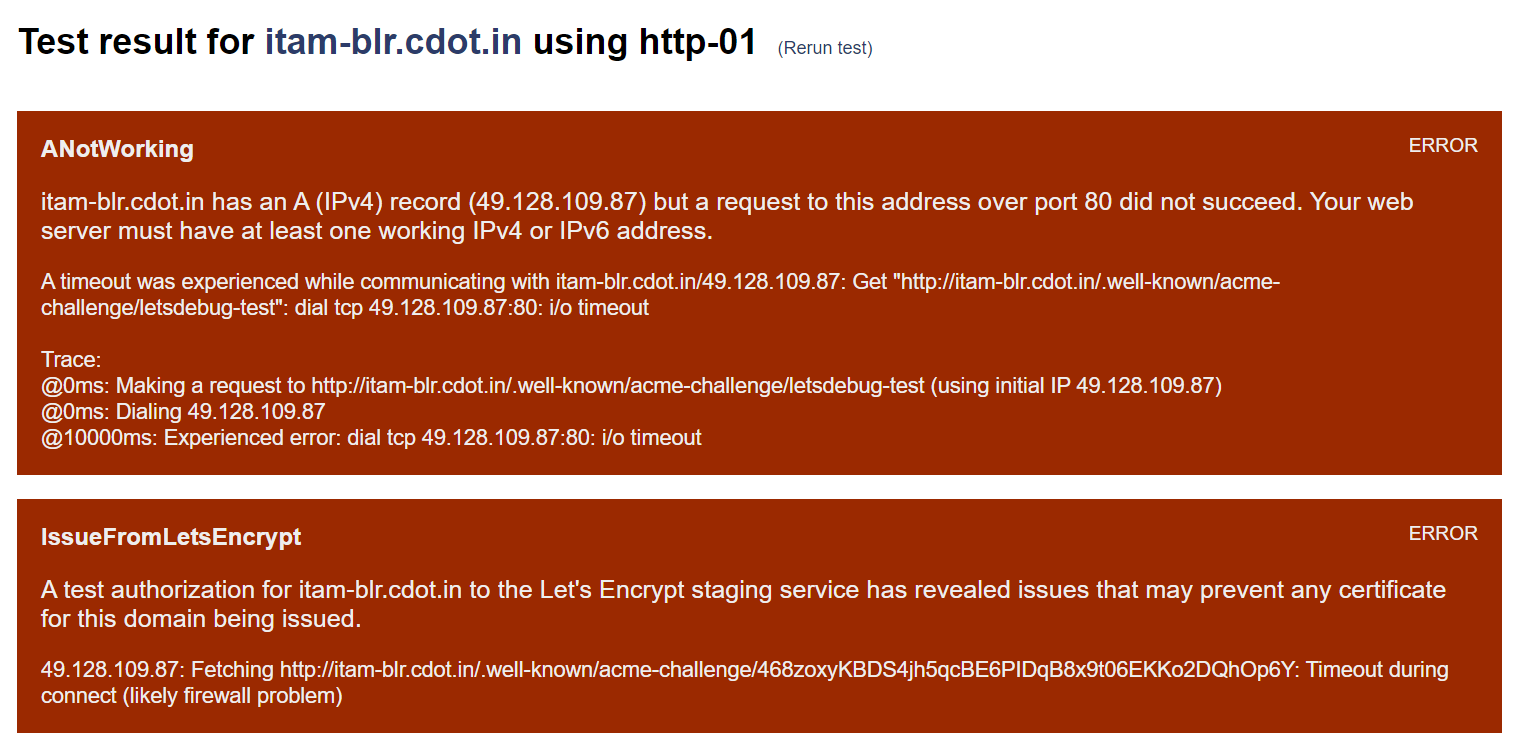
To test the Domain for error i used letsdebug.net, all details including errors are given below:
My domain is: itam-blr.cdot.in
I ran this command: sudo certbot --apache -v
It produced this output:
Which names would you like to activate HTTPS for?
We recommend selecting either all domains, or all domains in a VirtualHost/server block.
1: itam-blr.cdot.in
Select the appropriate numbers separated by commas and/or spaces, or leave input
blank to select all options shown (Enter 'c' to cancel): 1
Requesting a certificate for itam-blr.cdot.in
Performing the following challenges:
http-01 challenge for itam-blr.cdot.in
Waiting for verification...
Challenge failed for domain itam-blr.cdot.in
http-01 challenge for itam-blr.cdot.in
Certbot failed to authenticate some domains (authenticator: apache). The Certificate Authority reported these problems:
Domain: itam-blr.cdot.in
Type: connection
Detail: 49.128.109.87: Fetching http://itam-blr.cdot.in/.well-known/acme-challenge/EVXYbQhI75gI2SRzKxyWTyzNofuqdq8qC6CV1acogec: Timeout during connect (likely firewall problem)
Hint: The Certificate Authority failed to verify the temporary Apache configuration changes made by Certbot. Ensure that the listed domains point to this Apache server and that it is accessible from the internet.
Cleaning up challenges
Some challenges have failed.
Ask for help or search for solutions at https://community.letsencrypt.org. See the logfile /var/log/letsencrypt/letsencrypt.log or re-run Certbot with -v for more details.
##further errors are attached.
My web server is (include version): Apache 2.4.41
The operating system my web server runs on is (include version): Ubuntu 20.02
I can login to a root shell on my machine: Yes
The version of my client is : 0.40.0
