Please fill out the fields below so we can help you better. Note: you must provide your domain name to get help. Domain names for issued certificates are all made public in Certificate Transparency logs (e.g. crt.sh | example.com), so withholding your domain name here does not increase secrecy, but only makes it harder for us to provide help.
It produced this output:
Certbot failed to authenticate some domains (authenticator: nginx). The Certificate Authority reported these problems:
Domain: riseandthrive2022.com
Type: unauthorized
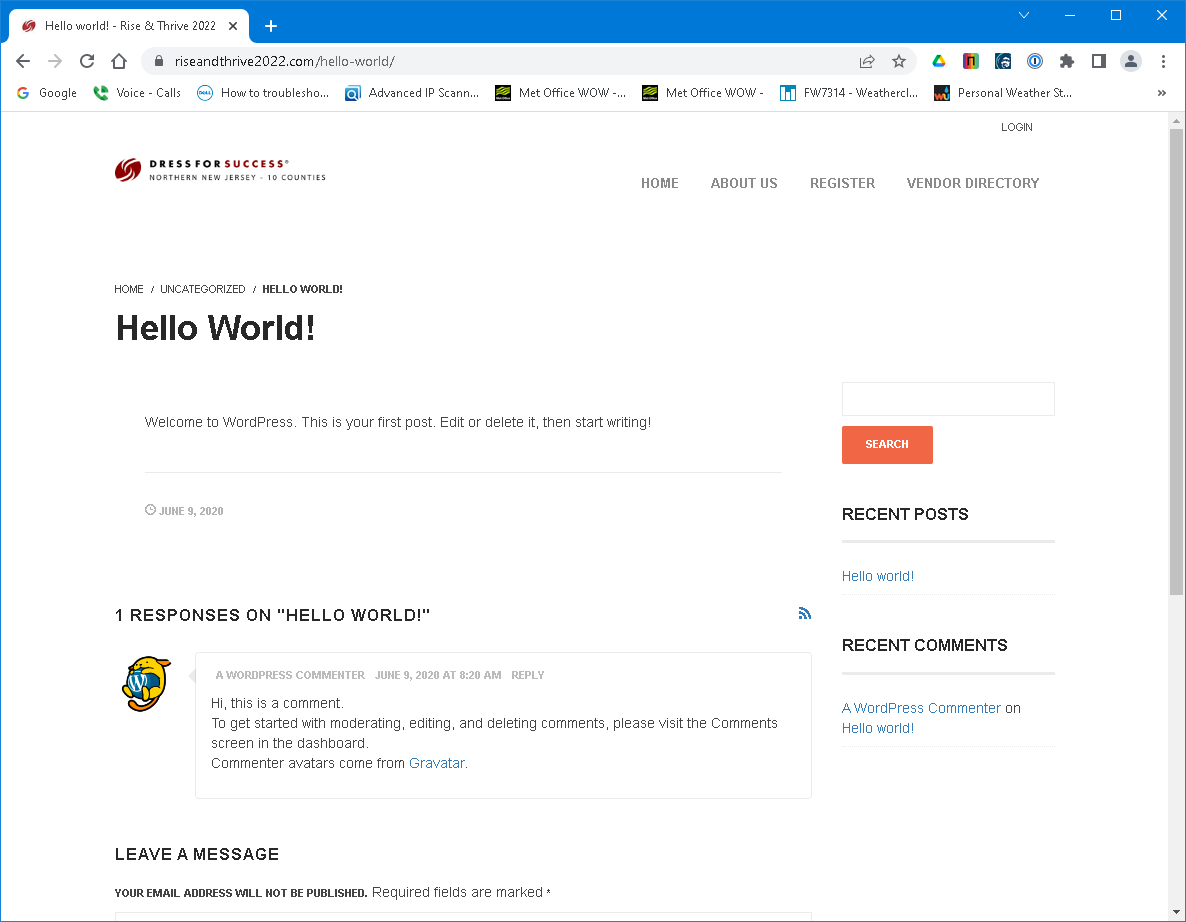
Detail: 66.110.181.220: Invalid response from https://riseandthrive2022.com/hello-world/: "\n<html lang="en-US">\n\n<meta charset="UTF-8">\n<meta name="viewport" content="width=device-width, initial-sca"
Hint: The Certificate Authority failed to verify the temporary nginx configuration changes made by Certbot. Ensure the listed domains point to this nginx server and that it is accessible from the internet.
My web server is (include version):
nginx version: nginx/1.10.3 (Ubuntu)
The operating system my web server runs on is (include version):
Ubuntu 16.04.7 LTS
My hosting provider, if applicable, is:
I can login to a root shell on my machine (yes or no, or I don't know):
Yes
I'm using a control panel to manage my site (no, or provide the name and version of the control panel):
No
The version of my client is (e.g. output of certbot --version or certbot-auto --version if you're using Certbot):
certbot 1.29.0
Note this server has been happily renewing this and ~30 other certificates until just recently. What is it even looking for at hello-world? Why is it checking that URL? Shouldn't it be looking in /.well-known/?
Welcome to the community @DStaal
Yes, the first request from the Let's Encrypt server is to your domain with HTTP and /.well-known/...
The only way to see HTTPS or a different path in the error message is if your server redirected that request to that location.
Based on your cert history (at crt.sh) your renewal should have been at end of July. Did anything change in your nginx config between late May and late July that might have caused such redirects? Could you have installed some other network device or software to handle redirects of inbound http requests to port 80?
Normally I would ask to see the letsencrypt.log or the nginx -T output. But, that's a lot of info for 30 domains. Can you show us just the server block for port 80 for this domain? Maybe something will jump out and may not need to delve deeper. Thanks.
This hasn't changed any time recently, and we run basically the same block on not only this server but dozens of others.
However if you can confirm that the request should actually be going to /.well-known/, I may be able to check with the client and see if they're doing anything in their app to further redirect.
Yes, absolutely. That's how it starts but the Let's Encrypt servers will follow redirects. The error you see is just the last URL it was redirected to that failed (not the first).
Could the internal IP address have changed? My first guess was that the request was now falling into your default nginx server and not the one with the matching server_name. Is that IP address even needed on the listen statement? Couldn't you just listen 80;
I found the redirect but I don't quite understand why it is triggered. With the nginx plug-in which shows in your first post, it will insert a response in the port 80 server block.
But, let's pretend that somehow went awry. Your server block would redirect to https and that response looks like below. Note the location directing to hello-world. The other response headers point to wordpress and a possible network device being involved (the p3p header is a clue).
What is puzzling is why the nginx plug-in should even go let it go there though. I still wonder about that internal IP address I mentioned previously.
I only see a Hardenize error for the www domain name but they have never gotten a cert with that name. The www name is not shown in the first post error message or the nginx server block for port 80. It's not required to use www names.
In many cases you can just use listen 80;, and we often do. It probably could even be done here, but it would require changing it on all the sites on the box simultaneously and it's not needed. (And yes, I've verified that the IP is the correct IP. There's only one on the box so the fact that you can see the site at all is further confirmation that it's correct.)
Thanks for the confirmation that it's hitting the /hello-world/ because of a redirect in the code, not in Nginx. This particular client has a customized variant of WordPress, and that's most likely where the redirect is coming from. I'll be talking with our client a bit more as it's sounding like a code issue, though yes I'm also wondering how it got past the nginx plug-in. Is there a way I can look at that plug-in to see what exactly it's inserting?
Just a follow up, since this was causing us to pull hair out, and I finally found the issue:
There was a 'ghost' Nginx process running, separate from the instance being managed by SystemD. So the commands to reload the Nginx config didn't do anything, as it applied to an nginx process that somehow was disconnected from the actual nginx that was listening on the relevant ports.
I had to do a full kill/stop of all nginx processes, and then a reload - but after that it works correctly.
Glad you found it. Several confounding factors to work through - good job.
Just fyi, the certbot nginx plug-in can cause that in an unusual set of circumstances. It happens because, in rare situations, the plug-in does an nginx start without using systemd. If you want more details about this for future reference let me know.
Definitely interested in more details. We run Certbot+Nginx on various Unix-like platforms (mostly Ubuntu, CentOS, and FreeBSD) for at least a dozen different clients.
Request/get cert which has LE servers sending challenge
Remove the nginx conf updates from step 1
Reload nginx again to remove updates and pickup new cert
A problem can occur if the reload in step 2 fails (or I suppose step 5 too but if it worked in step 2 it should work in step 5).
When the reload fails certbot tries to start nginx but does not use systemd. Instead, it does nginx -c /etc/nginx/nginx.conf. There is now an nginx that systemd is not aware of so you cannot control it as you'd expect.
Now, why might the reload fail? There may be various reasons but the two most common are:
nginx was not running when you started certbot (can't reload if not running)
enabling perl in nginx can sometimes cause a segv fault during reload
The thread below has comments from a certbot dev with more details. It is long and involved. That was my first experience with this, um, quirk Since then I've personally dealt with a handful of cases.
@_az In that thread you said you'd try to see about using systemd. Have you evaluated that yet?