Requesting new certificate order…
Processing authorization for www.kopana.nl…
Challenge is valid.
Processing authorization for kopana.nl…
Challenge is valid.
Processing authorization for smtp.kopana.nl…
Error: http://smtp.kopana.nl/.well-known/acme-challenge/letsencrypt_1539535082 is not reachable. Aborting the script.
dig output for smtp.kopana.nl:
Please make sure /.well-known alias is setup in WWW server.
My web server is (include version): Apache
The operating system my web server runs on is (include version): CentOS7
My hosting provider, if applicable, is:
I can login to a root shell on my machine (yes or no, or I don’t know): yes
I’m using a control panel to manage my site (no, or provide the name and version of the control panel): DirectAdmin
So I set up LetsEncrypt on my DirectAdmin panel and getting a certificate for:
kopana.nl
www.kopana.nl
mail.kopana.nl
Is just working fine. But the POP, SMTP and FTP are not working, someone an idea why?
I use DirectAdmin. When i look at my DNS settings everything points to my IP-adress. I just told my registrar to point the domain via AA records to my IP-address of my VPS. (Because it’s not possible in there control panel to do it yourself)
But something weird is happening here, because i have another VPS and I pointed my domains also to that one BUT via another registrar where I could setup the DNS settings myself and that one is just working fine. So Im confused here.
You are using directadmin and the DNS settings in the local directadmin related servers are correct. However, the official NS server is not any of the server listed in the control panel. Let’s encrypt will query the authenticive name server instead of any other servers, and the authenticative name server does not contains the correct record (since it’s not your directadmin connected nameserver)
You could do either actions below to resolve this issue:
Point your domain to the directadmin nameservers (that’ll resolve the issue but might degraded your DNS performance)
Add the new DNS records in the DNS provider’s control panel. Then do the verification again.
As your domain contains 'smtp', it seems you are handling e-mail. In that case I would strongly recommend option 1, because it'll also give you SPF and DKIM records right away (if enabled in DA, DKIM seems to be off at you) which are very useful for spam filtering software to know whether mail is genuine.
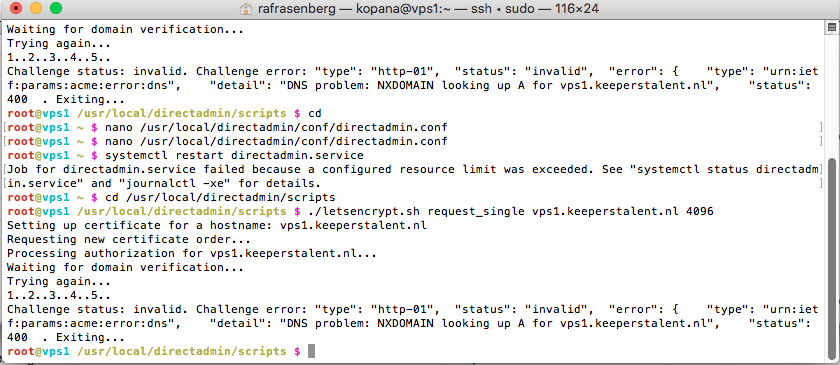
However I am encountering a new problem when trying to setup a SSL certificate for the server hostname. So I can have a secure login to the DirectAdmin panel. Check the screenshot I attached. What am I doing wrong?
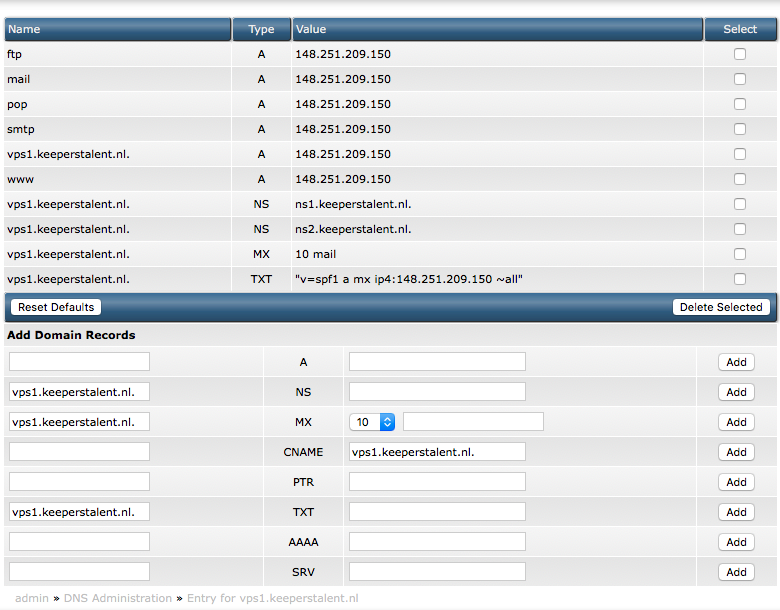
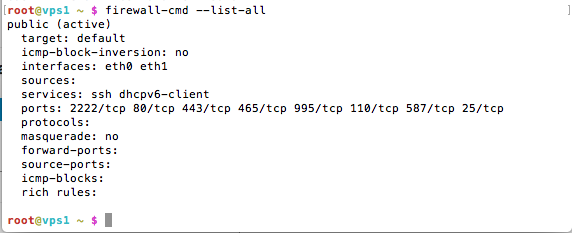
Well there a different problem now. I set the DNS records now I am encountering a new problem. See screenshot. Sorry for the questions I am just getting started with all this.
keeperstalent.nl is a separate website, not hosted on the VPS but by shared hosting. The owner of the VPS chose the same name for his VPS as his old website. Is this causing problems?