Hi everyone,
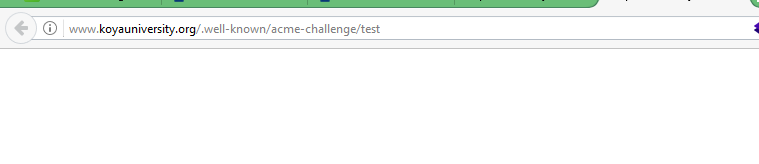
I am trying to generate a SSL Certificate for our Dedicated University Server (Debian 8.5 and Plsk 12.5) using the FREE SSL Certificate Wizard provided by zerossl.com, at the stage of domain ownership using HTTP verification, it asks you to upload files to
webroot/.well-known/acme-challenge/
but with no file extensions such as .txt or .html, when I click on the URL I get 403 (Forbidden; You do not have permission to access this document.) but if I add files extension it works. I have permission 0755 on the folder and the files as well. Any idea how I can solve this issue please?
I can login to a root shell on my machine (yes or no, or I don’t know): Yes I can access my server viw PUTTY
I’m using a control panel to manage my site (no, or provide the name and version of the control panel): Yes I have PLESK 12.5 to manage the server most of the time
I am an ignorant user, but it seems to me it’s easier to install automatically w a script than manually using zerossl. IIUC, you are the sysadmin, so you have root, can use one of the Certbot or acme.sh, or autossl scripts.
The problem I had was I didn’t know what my hosting provider considered the webroot. Ask your hosting provider about where/how you can access these
files.
Is there a LE autoinstall plugin for Plesk?? Probably easiest if so.
Hi, Thank you for the tips. I am not a system admin and I do not want to mess up the server. I did put other files on the folder and I could access all those files but the one without extension.
The command line apachectl -V gives
Server version: Apache/2.4.10 (Debian)
You mentioned (acme.sh), do you have the instruction for installation somewhere please?
For less technical folks there is a somewhat simpler way that will
satisfy your needs to get your site on SSL:
Sign up at Cloudflare for their free service. This is a ‘Content
Distribution Network’ (CDN) that stores your website in their
servers around the world to speed it up, and _also _puts it on
SSL. (Other CDNs probably do SSL too, but Cloudflare has
terrific support.)
That should take care of 95% of your needs to present https://
to the world.
To get the last 5%, create an “Origin SSL” at Cloudflare, and
Install your “Origin SSL” certificate on your web hosting
service using your panel access (Plesk or cPanel,etc.) or
instructions on CF.
You could also use a “self-signed SSL certificate” w
Cloudflare instead of Cloudflare’s “Origin SSL” certificate,
but why complicate your life?
SSH into your host server, run acme.sh with the --staging switch
for testing, and the -w switch set to the webroot directory
in(4.) You do not need root.
Once that works, run acme.sh with the --force switch (&
without–staging)
Take the certificate generated and install using Plesk/cPanel etc.
on your host.
One thing to note here is that this (very effective) approach is trusting an additional company with access to your communications and user data. While providing HTTPS for your site, any content delivery network, like Cloudflare, will have access to your unencrypted data.
Thank you everyone, it shows that there is an extension for Plesk and I have now added that to our server. It went well for all domains and subdomains but the our MAIN DOMAIN. I click to create, and it stop without any warning. I am working on it
be very careful recommending services - for less technical folks…etc.
Unfortunately those folks are usually the ones that are up in arms first when something goes wrong.
SSL and TLS is a skillset. A good skillset that needs investment like anything else (fixing cars, carpentry etc). Having a skillset also allows you to evaluate services more carefully.
@schoen points out there is a danger of using other providers for SSL encryption and private keys
This is not a theoretical danger it actually happend
saying that I exclusively use CloudFlare for my DNS servers. They have things like DNSSEC down pat and really fast propagation times (e.g. adding a record and then being able to use it 5 minutes later) but find the way they do their SSL not to my liking.
Right, and they fixed 90% of it in FORTY-SEVEN MINUTES!
What undiscovered vulnerabilities exist in LE?
The bottom line is that for most people using shared hosting LE is too
hard to implement. I’m sorry if you don’t want to hear that, but
consider the differences in difficulty of implementation. LE is
hugely virtuous, with a noble motive- getting the whole web on https.
Cloudflare is more time-effective for the vast majority of people with
small websites on shared hosting. It has far better useability. It
just works.
LE and CLoudflare are intended for different audiences. Those who are
able to use LE easily will find it’s their best solution. But LE is
only useful for very technically able users. I -finally!-got it to
work, but it took me three weeks. Cloudflare was up and running in 15
minutes.
UI is important.
And derogatory comments about less technically able users are what Tom
Peters calls, “Contempt for the Customer.”
"The greatest period of impact was from February 13 and February 18
with around 1 in every 3,300,000 HTTP requests through Cloudflare
potentially resulting in memory leakage (that’s about 0.00003% of
requests).
We are grateful that it was found by one of the world’s top security
research teams and reported to us.
This blog post is rather long but, as is our tradition, we prefer to
be open and technically detailed about problems that occur with our
service."
Well, if they have sensible shared hosting, implementing LE on a given site can be as simple as pushing a button (or even easier; some default to an LE cert as soon as the domain is provisioned). But if the host is stuck in the GoDaddy/HostGator model of imposing nickel and dime charges for everything a customer might want, yes, it's going to be harder to implement. Ultimately, to work the way it's intended to work, LE support needs to be implemented by the server admin.