Sorry but I'm having the same exact errors as the OP.
Certbot tells me to add the
_acme-challenge.sitepard.com
with this value
pdSFEvCWxHIgg2FVD7izuEu_xjR1THvuK-v-dsZiCII
So on my DigitalOcean dashboard I've added this TXT record:
Then I proceeded to verify the propagation of the record on mxtoolbox.com and yet Certbot returns the same error as the one posted by OP.
I'm banging my head on the wall for this issue for a while and I really don't know how to fix this.
Hi @nickramos94
no, you have a completely different error.
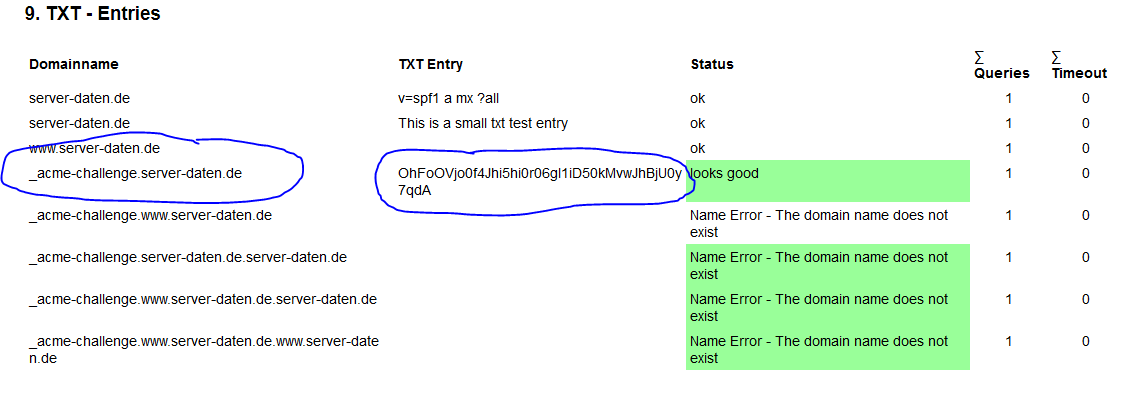
You have created the wrong TXT entries - see https://check-your-website.server-daten.de/?q=sitepard.com#txt
_acme-challenge.sitepard.com must be the domain name, but your menu may add sitepard.com, so create only an entry with _acme-challenge as name.
Must look like
PS: Use the field "Hostname" with _acme-challenge.
Thank you so much, certbot succesfully completed the procedure but unofrtunately it turns out that the wildacard subdomains are still not certified, while the main website (sitepard.com) it is, but that was certified previously.
I followed this guide to certifiy the subdomains.