Genis
August 29, 2022, 7:05pm
1
My domain is: longenyc.com
I ran this command: A lot of them
It produced this output: It says that I have no certificates (which is not true) and it's unable to renew the certificate
My web server is (include version): NGINX 1.18
The operating system my web server runs on is (include version): Ubuntu 20.04
My hosting provider, if applicable, is: Hostinger
I can login to a root shell on my machine: Yes
I'm using a control panel to manage my site: No
The version of my client is: 0.40.0
Firstly, I created a certificate for both longenyc.com and www.longenyc.com . Then, after using Cloudflare to optimize and protect the website, renoval didn't work because of the www.longenyc.com , which works through a redirection.
So, I tried to create a new certificate only for longenyc.com , without checking before the correct way to do it. So, I had two certificates. I deleted both and created a new one. Then, a problem with the config file appeared and now the whole certbot isn't able of generating new certificates.
As the website is not in production yet, I think the easyest way to procede will be to completely remove everything and install it again.
After failing with previous attempts and not founding on the website how to properly doing... could you help me?
Keep your certificates and associated Private Keys for
and
That way you won't have to hit your Rate Limits - Let's Encrypt
Also before editing a configuration file safe off a backup copy first.
Genis
August 29, 2022, 7:16pm
3
Hi, Bruce! Thanks for your answer. I'm not worried about the rate limits. Now, I can not do any backup of the configuration files because they are inexistent, empty or broken. So, I need how to restore everything from certbot, as a fresh install.
Osiris
August 29, 2022, 7:22pm
4
If your webserver is complaining about that it can't find a file that's configured in its configuration file, just point that directive to a certificate that does exist.
Genis
August 29, 2022, 7:25pm
5
Hi, Osiris! In an attempt to reinstall the configuration file, I deleted it, but I was not able to create a new one automatically. So, now I have no configuration file at all.
Osiris
August 29, 2022, 7:28pm
6
Well, if you don't have your webserver configured at all, then that's probably a good thing to start with. And that doesn't necessarily require a certificate.
Or did you mean a configuration file in Certbot? Because I thought you said you "created a new one", so I don't understand.
To help us help you better, please provide more exact details, so we don't have to guess continually, preferably with exact error messages et cetera.
Genis
August 29, 2022, 7:37pm
7
My webserver is configured correctly, but not the file that certbot uses for the renewal.
When I run sudo certbot renew --dry-run:
Saving debug log to /var/log/letsencrypt/letsencrypt.log
- - - - - - - - - - - - - - - - - - - - - - - - - - - - - - - - - - - - - - - -
** DRY RUN: simulating 'certbot renew' close to cert expiry
**          (The test certificates below have not been saved.)
No renewals were attempted.
** DRY RUN: simulating 'certbot renew' close to cert expiry
**          (The test certificates above have not been saved.)
- - - - - - - - - - - - - - - - - - - - - - - - - - - - - - - - - - - - - - - -
Now, I execute sudo certbot:
Saving debug log to /var/log/letsencrypt/letsencrypt.log
Plugins selected: Authenticator nginx, Installer nginx
Which names would you like to activate HTTPS for?
- - - - - - - - - - - - - - - - - - - - - - - - - - - - - - - - - - - - - - - -
1: longenyc.com
2: www.longenyc.com
- - - - - - - - - - - - - - - - - - - - - - - - - - - - - - - - - - - - - - - -
Select the appropriate numbers separated by commas and/or spaces, or leave input
blank to select all options shown (Enter 'c' to cancel): 1
Obtaining a new certificate
archive directory exists for longenyc.com
Now, I try sudo certbot certificates:
Saving debug log to /var/log/letsencrypt/letsencrypt.log
Renewal configuration file /etc/letsencrypt/renewal/longenyc.com.conf produced an unexpected error: renewal config file {} is missing a required file reference. Skipping.
- - - - - - - - - - - - - - - - - - - - - - - - - - - - - - - - - - - - - - - -
The following renewal configurations were invalid:
  /etc/letsencrypt/renewal/longenyc.com.conf
- - - - - - - - - - - - - - - - - - - - - - - - - - - - - - - - - - - - - - - -
Do I need to do more tests?
rg305
August 29, 2022, 7:45pm
8
Let's try to correct that file.
Osiris
August 29, 2022, 7:45pm
9
Please show the output of:
sudo ls -lR /etc/letsencrypt/{archive,live}
Genis
August 29, 2022, 7:47pm
10
The output is:
/etc/letsencrypt/archive:
total 4
drwxr-xr-x 2 root root 4096 ago 24 19:13 longenyc.com

/etc/letsencrypt/live:
total 8
drwxr-xr-x 2 root root 4096 ago 29 02:37 longenyc.com
-rw-r--r-- 1 root root  740 jul  8 21:39 README
Osiris
August 29, 2022, 7:48pm
11
I've edited the -R option into the command, sorry for the late addition. Could you run the command with the -R option and also show the file referenced by Rudy?
Genis
August 29, 2022, 7:48pm
12
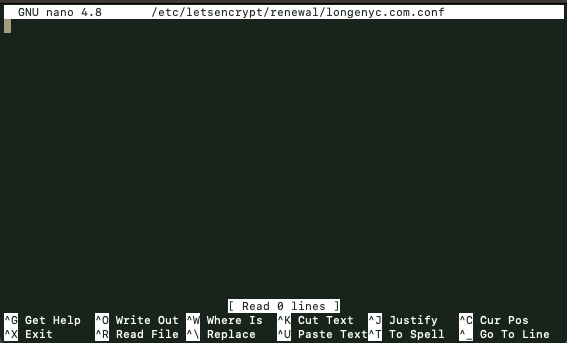
I used the sudo nano... command to open it and it is empty:
Genis
August 29, 2022, 7:50pm
13
This is the new output:
/etc/letsencrypt/archive:
total 4
drwxr-xr-x 2 root root 4096 ago 24 19:13 longenyc.com

/etc/letsencrypt/archive/longenyc.com:
total 20
-rw-r--r-- 1 root root 1834 ago 24 19:13 cert1.pem
-rw-r--r-- 1 root root 3750 ago 24 19:13 chain1.pem
-rw-r--r-- 1 root root 5584 ago 24 19:13 fullchain1.pem
-rw------- 1 root root 1704 ago 24 19:13 privkey1.pem

/etc/letsencrypt/live:
total 8
drwxr-xr-x 2 root root 4096 ago 29 02:37 longenyc.com
-rw-r--r-- 1 root root  740 jul  8 21:39 README

/etc/letsencrypt/live/longenyc.com:
total 4
lrwxrwxrwx 1 root root  36 ago 24 19:13 cert.pem -> ../../archive/longenyc.com/cert1.pem
lrwxrwxrwx 1 root root  37 ago 24 19:13 chain.pem -> ../../archive/longenyc.com/chain1.pem
lrwxrwxrwx 1 root root  41 ago 24 19:13 fullchain.pem -> ../../archive/longenyc.com/fullchain1.pem
lrwxrwxrwx 1 root root  39 ago 24 19:13 privkey.pem -> ../../archive/longenyc.com/privkey1.pem
-rw-r--r-- 1 root root 692 ago 24 19:13 README
Osiris
August 29, 2022, 7:55pm
14
All the actually important files are there. You could perhaps try to restore the configuration file with the contents:
# renew_before_expiry = 30 days
version = 0.40.0
archive_dir = /etc/letsencrypt/archive/longenyc.com
cert = /etc/letsencrypt/live/longenyc.com/cert.pem
privkey = /etc/letsencrypt/live/longenyc.com/privkey.pem
chain = /etc/letsencrypt/live/longenyc.com/chain.pem
fullchain = /etc/letsencrypt/live/longenyc.com/fullchain.pem

# Options used in the renewal process
[renewalparams]
account = abcdefg
server = https://acme-staging-v02.api.letsencrypt.org/directory
where the abcdefg needs to be replaced with the hash found by running
ls /etc/letsencrypt/accounts/acme-v02.api.letsencrypt.org/directory/.
Not sure if Certbot will accept a configuration file without the authenticator configured, but it's worth a try.
Genis
August 29, 2022, 8:00pm
15
Ok! I followed your instructions and attempted again with sudo certbot renew --dry-run:
Saving debug log to /var/log/letsencrypt/letsencrypt.log

- - - - - - - - - - - - - - - - - - - - - - - - - - - - - - - - - - - - - - - -
Processing /etc/letsencrypt/renewal/longenyc.com.conf
- - - - - - - - - - - - - - - - - - - - - - - - - - - - - - - - - - - - - - - -
Renewal configuration file /etc/letsencrypt/renewal/longenyc.com.conf does not specify an authenticator. Skipping.

- - - - - - - - - - - - - - - - - - - - - - - - - - - - - - - - - - - - - - - -
** DRY RUN: simulating 'certbot renew' close to cert expiry
**          (The test certificates below have not been saved.)

No renewals were attempted.

Additionally, the following renewal configurations were invalid:
  /etc/letsencrypt/renewal/longenyc.com.conf (parsefail)
** DRY RUN: simulating 'certbot renew' close to cert expiry
**          (The test certificates above have not been saved.)
- - - - - - - - - - - - - - - - - - - - - - - - - - - - - - - - - - - - - - - -
0 renew failure(s), 1 parse failure(s)
Looks better, but still does not completely work...
Genis
August 29, 2022, 8:01pm
16
Oh, I guess I need to add the "1" to the file names, I'm going to try.
Edit:
I changed:
cert = /etc/letsencrypt/live/longenyc.com/cert.pem
privkey = /etc/letsencrypt/live/longenyc.com/privkey.pem
chain = /etc/letsencrypt/live/longenyc.com/chain.pem
fullchain = /etc/letsencrypt/live/longenyc.com/fullchain.pem
by:
cert = /etc/letsencrypt/live/longenyc.com/cert1.pem
privkey = /etc/letsencrypt/live/longenyc.com/privkey1.pem
chain = /etc/letsencrypt/live/longenyc.com/chain1.pem
fullchain = /etc/letsencrypt/live/longenyc.com/fullchain1.pem
Runned sudo certbot renew --dry-run again:
Saving debug log to /var/log/letsencrypt/letsencrypt.log

- - - - - - - - - - - - - - - - - - - - - - - - - - - - - - - - - - - - - - - -
Processing /etc/letsencrypt/renewal/longenyc.com.conf
- - - - - - - - - - - - - - - - - - - - - - - - - - - - - - - - - - - - - - - -

Traceback (most recent call last):
  File "/usr/lib/python3/dist-packages/certbot/renewal.py", line 65, in _reconstitute
    renewal_candidate = storage.RenewableCert(full_path, config)
  File "/usr/lib/python3/dist-packages/certbot/storage.py", line 465, in __init__
    self._check_symlinks()
  File "/usr/lib/python3/dist-packages/certbot/storage.py", line 522, in _check_symlinks
    raise errors.CertStorageError(
certbot.errors.CertStorageError: expected /etc/letsencrypt/live/longenyc.com/cert1.pem to be a symlink
Renewal configuration file /etc/letsencrypt/renewal/longenyc.com.conf is broken. Skipping.

- - - - - - - - - - - - - - - - - - - - - - - - - - - - - - - - - - - - - - - -
** DRY RUN: simulating 'certbot renew' close to cert expiry
**          (The test certificates below have not been saved.)

No renewals were attempted.

Additionally, the following renewal configurations were invalid:
  /etc/letsencrypt/renewal/longenyc.com.conf (parsefail)
** DRY RUN: simulating 'certbot renew' close to cert expiry
**          (The test certificates above have not been saved.)
- - - - - - - - - - - - - - - - - - - - - - - - - - - - - - - - - - - - - - - -
0 renew failure(s), 1 parse failure(s)
Osiris
August 29, 2022, 8:04pm
17
No, you don't. The "1"s are for in the archive directory only, the live directory symlinks to the archive directory and does NOT use suffixes. Please don't mess up the configuration file again.
The error comes from the thing I was worried about, Certbot requires an authenticator configured. Do you remember what authenticator plugin you've used previously? The easiest way would be to use the nginx authenticator by appending authenticator = nginx to the bottom of the configuration file.
Genis
August 29, 2022, 8:05pm
18
Osiris:
authenticator = nginx
I'm so grateful
The file content:
# renew_before_expiry = 30 days
version = 0.40.0
archive_dir = /etc/letsencrypt/archive/longenyc.com
cert = /etc/letsencrypt/live/longenyc.com/cert.pem
privkey = /etc/letsencrypt/live/longenyc.com/privkey.pem
chain = /etc/letsencrypt/live/longenyc.com/chain.pem
fullchain = /etc/letsencrypt/live/longenyc.com/fullchain.pem

# Options used in the renewal process
[renewalparams]
account =
server = https://acme-staging-v02.api.letsencrypt.org/directory

authenticator = nginx
The result of sudo certbot renew --dry-run:
Saving debug log to /var/log/letsencrypt/letsencrypt.log

- - - - - - - - - - - - - - - - - - - - - - - - - - - - - - - - - - - - - - - -
Processing /etc/letsencrypt/renewal/longenyc.com.conf
- - - - - - - - - - - - - - - - - - - - - - - - - - - - - - - - - - - - - - - -
Cert not due for renewal, but simulating renewal for dry run
Plugins selected: Authenticator nginx, Installer None
Renewing an existing certificate
Performing the following challenges:
http-01 challenge for longenyc.com
Waiting for verification...
Cleaning up challenges

- - - - - - - - - - - - - - - - - - - - - - - - - - - - - - - - - - - - - - - -
new certificate deployed without reload, fullchain is
/etc/letsencrypt/live/longenyc.com/fullchain.pem
- - - - - - - - - - - - - - - - - - - - - - - - - - - - - - - - - - - - - - - -

- - - - - - - - - - - - - - - - - - - - - - - - - - - - - - - - - - - - - - - -
** DRY RUN: simulating 'certbot renew' close to cert expiry
**          (The test certificates below have not been saved.)

Congratulations, all renewals succeeded. The following certs have been renewed:
  /etc/letsencrypt/live/longenyc.com/fullchain.pem (success)
** DRY RUN: simulating 'certbot renew' close to cert expiry
**          (The test certificates above have not been saved.)
- - - - - - - - - - - - - - - - - - - - - - - - - - - - - - - - - - - - - - - -
Osiris
August 29, 2022, 8:17pm
19
Great you've got it working again!
In the future, either be more careful or backup the files before destroying them
rg305
August 29, 2022, 8:45pm
20
What's the fun in that ? - LOL
Destroy Build Destroy is an American live action reality series on Cartoon Network hosted by Andrew W.K. It was a game show, in which two teams destroyed a random object and built vehicles from it, and then the winners destroyed the losers' creation. The series originally premiered as part of a line of live-action reality series called CN Real, which aired in 2009. The series premiered on June 20, 2009, and ended its run on September 21, 2011.
Destroy Build Destroy is one of only two shows fro...
[much more fun!]

 you are real cracks! Thank you very much, sorry for messing up the configuration file.