The operating system my web server runs on is (include version): Ubuntu v 24
My hosting provider, if applicable, is:Contabo
I can login to a root shell on my machine (yes or no, or I don't know): yes
I'm using a control panel to manage my site (no, or provide the name and version of the control panel): Webmin/Virtualmin
The version of my client is (e.g. output of certbot --version or certbot-auto --version if you're using Certbot): 2.9.0
Please help!!!
I have multiple hosts on my server (running PHP 8.3). The certificates installed successfully on all 3 (including the Contabo hosting server). Domain names are registered with Godaddy. But when I try to fetch a certificate for my new host/domain stardust-mall.com (running PHP 7.4) it doesn't work. I get "Doesn't match Common Name or/and SANs" error and the certificate appears as self-signed.
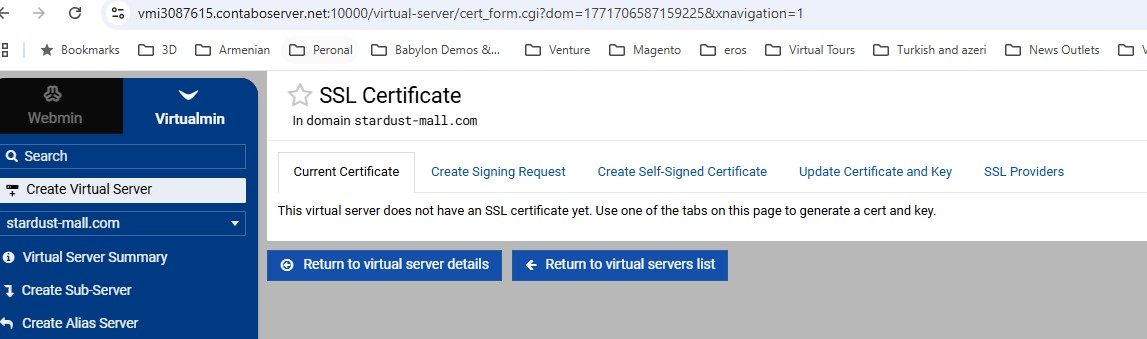
Adding insult to injury after removing the certificate and installing again I get the screen that there is no certificate installed. I run certbot on dry mode with no error indicated.
HTTPS requests to your server use a default Contabo cert. You might even ask Contabo support about this. They are the ones providing this tool.
X509v3 Subject Alternative Name:
DNS: vmi3087615.contaboserver.net
As an aside, you have gotten around 23 certs for your domain name and/or its www subdomain in the past week. You don't have a problem getting LE certs. It is this integration I describe that has gone wrong.
I tried both manually and through VirtualMin to no avail
As I mentioned earlier I have 2 hosts whose certificates are working fine. So it's not a Contabo issue right?
The domain name contains a hyphen (stardust-mall). Could this cause any problems?
Not with Let's Encrypt. As proven that you have gotten many LE certs with that name.
I doubt it is causing trouble with VMin. But, I can't help with VMin or Contabo as I don't have much experience with either. Unless a different volunteer here does I think you are better off asking these questions of Contabo support or the VMin community. Your problem relates to using those systems / tools to configure your system.
If you were having problems getting an LE cert I could likely help debug that. But, getting certs is working well. And, frankly, your repeated attempts is possibly making that more difficult by running into Let's Encrypt Rate Limits due to too many duplicate certs. You are allowed 5 duplicates in the past week and one extra after that every 34 hours. That is probably why you keep changing your domain name configuration to work-around that. But, your problem isn't with LE it is with VMin or Contabo setup itself.